Organize Years of Photo Archives on Mac | MediaOrganizer

MediaOrganizer helps Mac users organize photo archives using metadata, capture time, and location information before importing, migrating, backing up, or cataloging.

Built for real archives shaped by years of imports, migrations, backups, and evolving workflows.

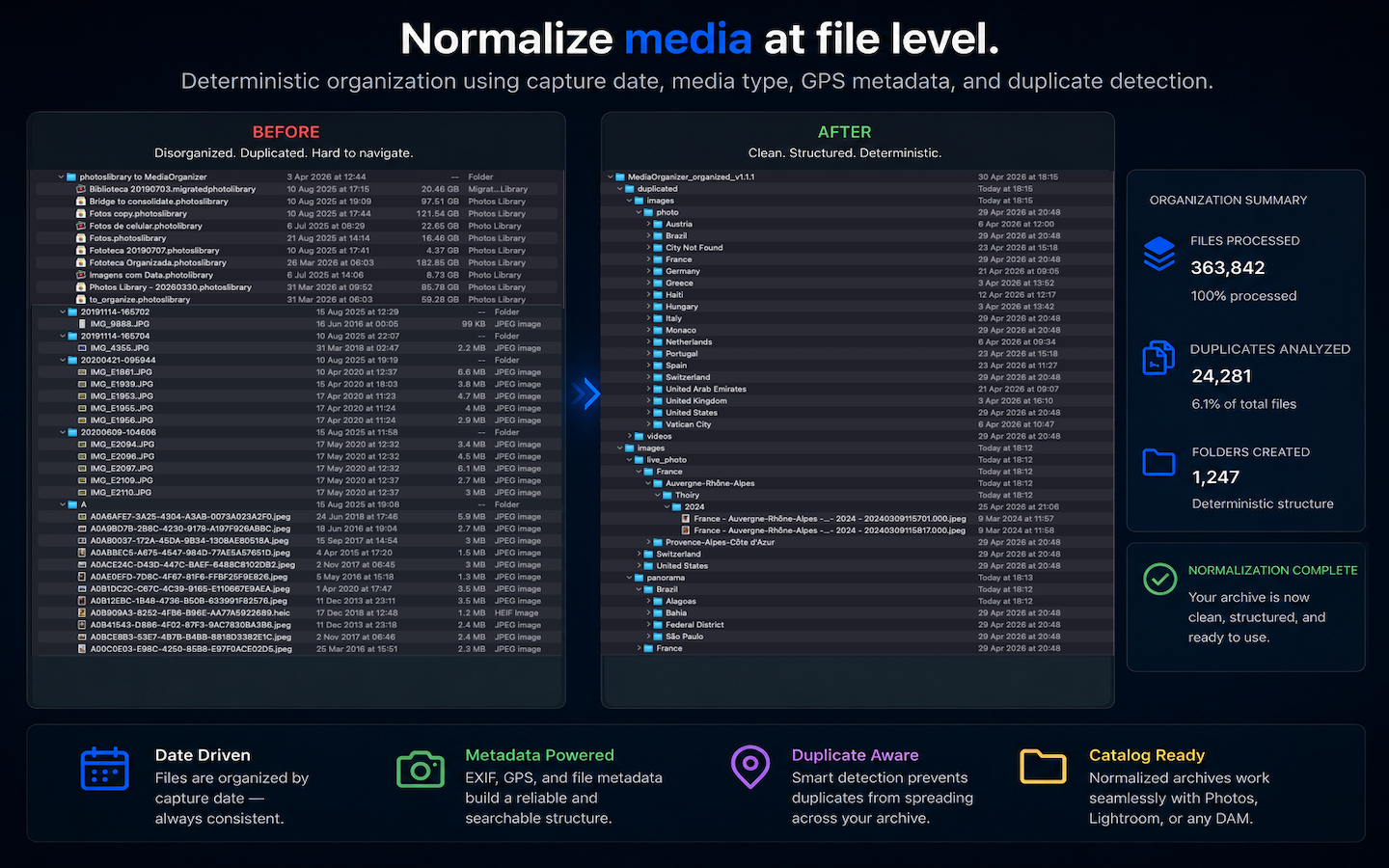
Validated on real-world archives containing more than 363,000 files.

363,575 files processed
24,281 duplicates analyzed
1,247 folders created

MediaOrganizer Studio

A Complete Workflow for Processing Media Archives

Validate media integrity, normalize file-level structure, recover missing context, and organize long-term archives before importing or cataloging them.

MediaOrganizer app icon

MediaOrganizer

The complete workflow for processing long-term media archives.

MediaOrganizer validates media integrity, normalizes file-level structure, recovers missing context, and organizes archives using deterministic rules.

Built for collections shaped by years of backups, migrations, imports, and accumulated media.

Organize photo archives into a clear and consistent structure.
Transform years of photos, libraries, and backups into a structure that remains easy to understand and maintain.

Who Is MediaOrganizer For?

Apple Photos Users

Organize libraries accumulated across multiple Macs, backups, and migrated Photos libraries.

Lightroom Users

Prepare photo archives before cataloging and reduce structural inconsistencies introduced over time.

Family Archives

Bring together years of photos collected from phones, cameras, external drives, and old computers.

Before Major Imports or Migrations

Prepare photo archives before moving to a new Mac, importing into Lightroom, consolidating backups, or reorganizing long-term storage.

Product Overview

A short introduction to how MediaOrganizer helps build and maintain organized photo archives over time.

The Files Remain. The Structure Doesn't.

See how MediaOrganizer organizes photo archives using metadata, timestamps, and location information.

Learn more about MediaOrganizer →

Ready to Build a More Organized Photo Archive?

Build and maintain an organized photo archive before your next import, migration, backup, or long-term preservation project.

Download on the Mac App Store

Built for archives shaped by years of backups and migrations.

Explore MediaOrganizer →

See MediaOrganizer in Action

Explore real MediaOrganizer workflows, from recovering missing GPS metadata to processing large-scale media archives.

Recover Missing GPS Metadata

Recover Location helps identify nearby candidate photos and restore missing GPS metadata manually.

Operational Benchmark Sample

See MediaOrganizer processing a real-world archive sample as part of its large-scale operational validation.

View more demonstrations on YouTube →

Why Archive Structure Matters Over Time?

Large photo archives naturally evolve over time. New devices, backups, imports, exports, and library migrations gradually add complexity to collections that may span many years.

Media normalization helps maintain a consistent archive structure by organizing files using metadata, capture time, and location information before they enter catalog systems or long-term storage.

The result is an archive that remains easier to understand, search, maintain, and preserve over time.

Learn how media normalization works →

Guides for Organizing Photo Archives

Most archive problems start small: duplicate photos, scattered folders, multiple photo libraries, missing location data, and years of accumulated imports.

These guides explain why those problems appear, how they evolve over time, and practical ways to restore structure across your archive.

Explore all guides →