Archive Integrity
Validate before organizing.
Identify and separate unreadable or damaged media before building a structured archive.

The Complete Media Processing Workflow for macOS.
Process the archive you have. Keep it organized as it grows.
Bring together photos and videos from folders, Apple Photos libraries, cameras, phones, recovered disks, backups, scans, and other media sources.
MediaOrganizer helps you check your media, restore missing information, and organize everything into a clear, consistent archive. Use the same workflow again whenever new media arrives, so your archive stays organized as it grows.
Built from a real archive
MediaOrganizer grew from a personal project to consolidate and organize more than 25 years of family photos and videos distributed across Apple Photos libraries, folders, backups, cameras, phones, and scanned collections. The workflow was refined against the problems found in that archive.
Start with the photos and videos you already have. Then use the same workflow whenever new media arrives, so your archive stays organized over time.
Archive Integrity
Identify and separate unreadable or damaged media before building a structured archive.
Source & Preview
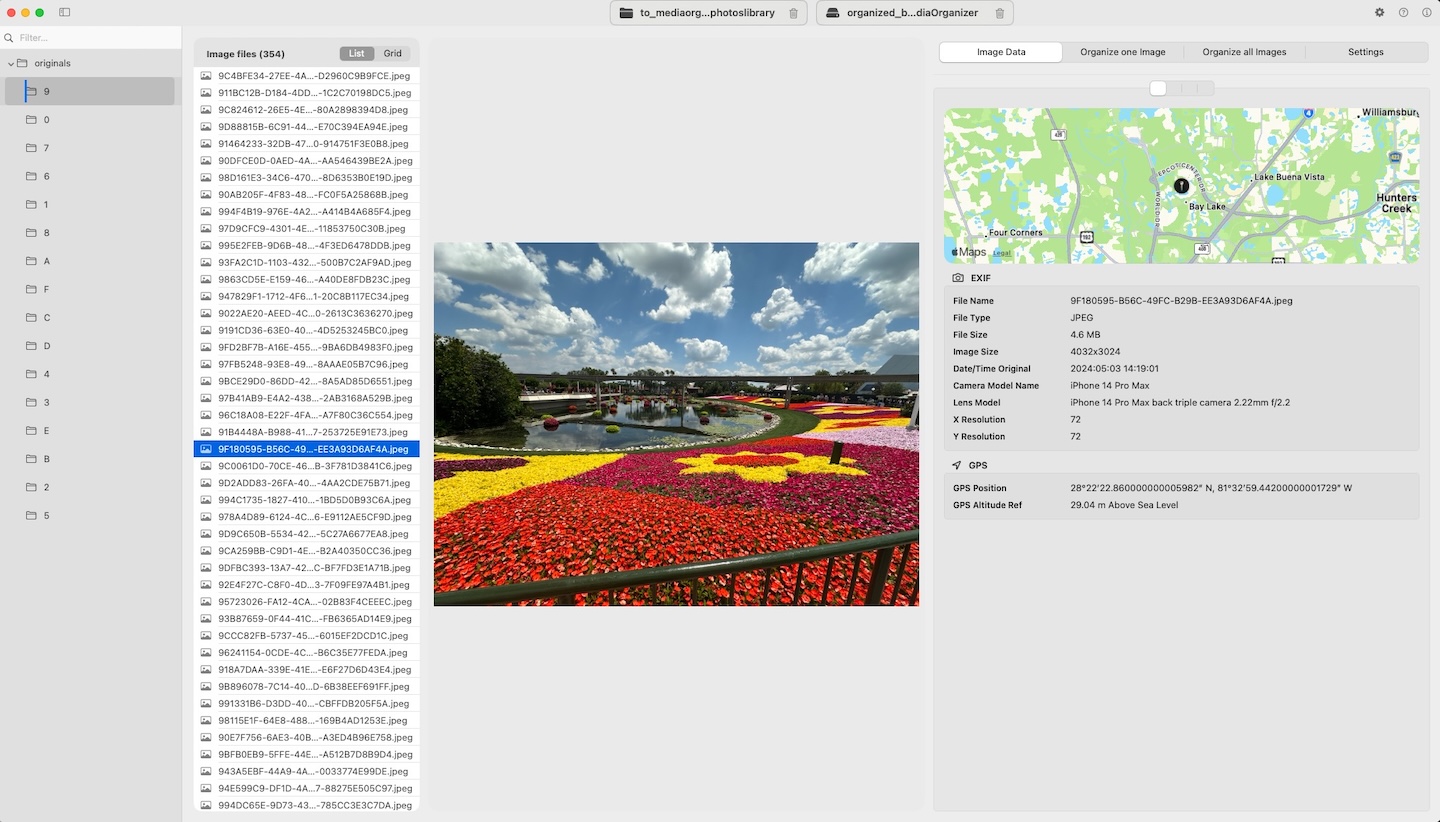
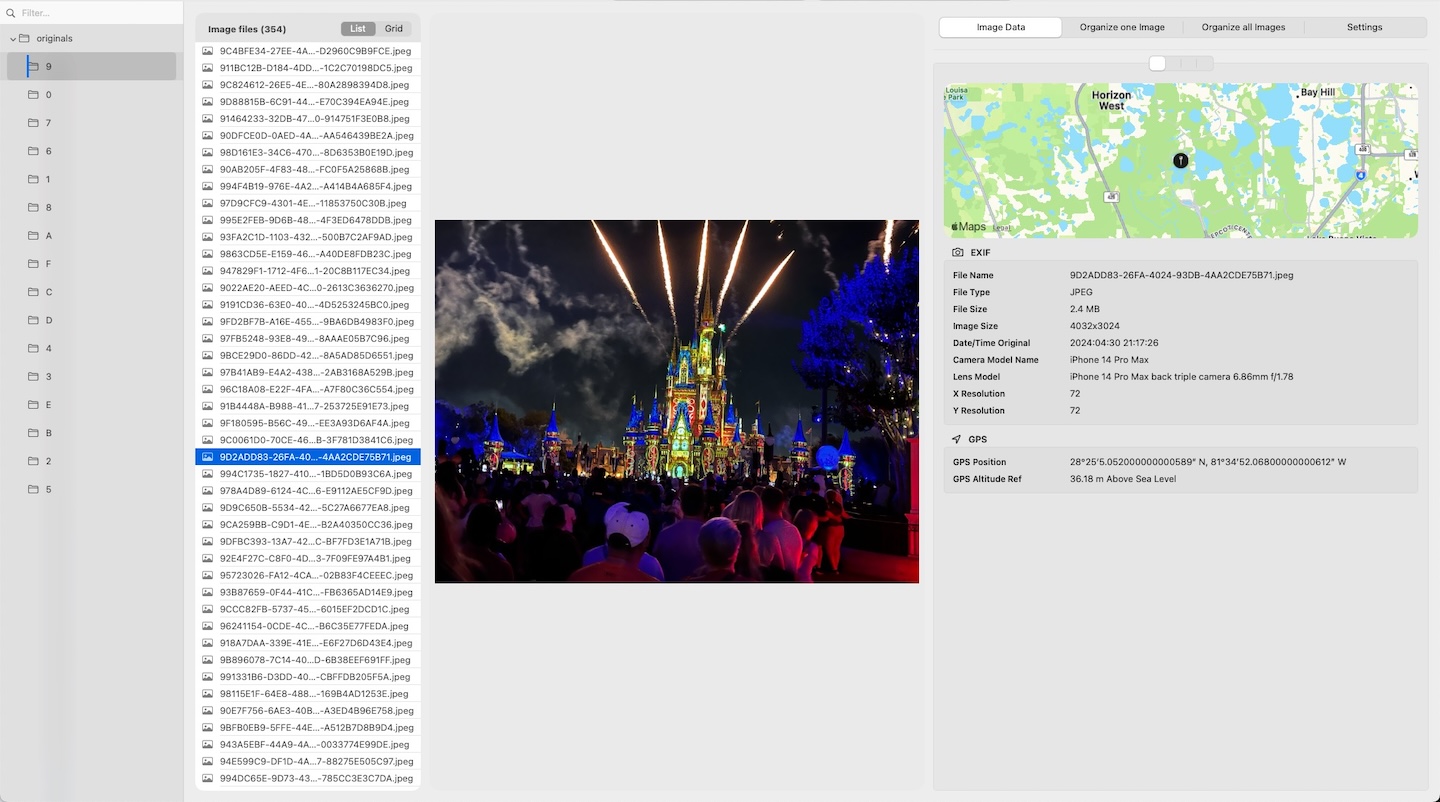
Drop any folder or Photos Library to preview and structure your media before processing.
Large Libraries
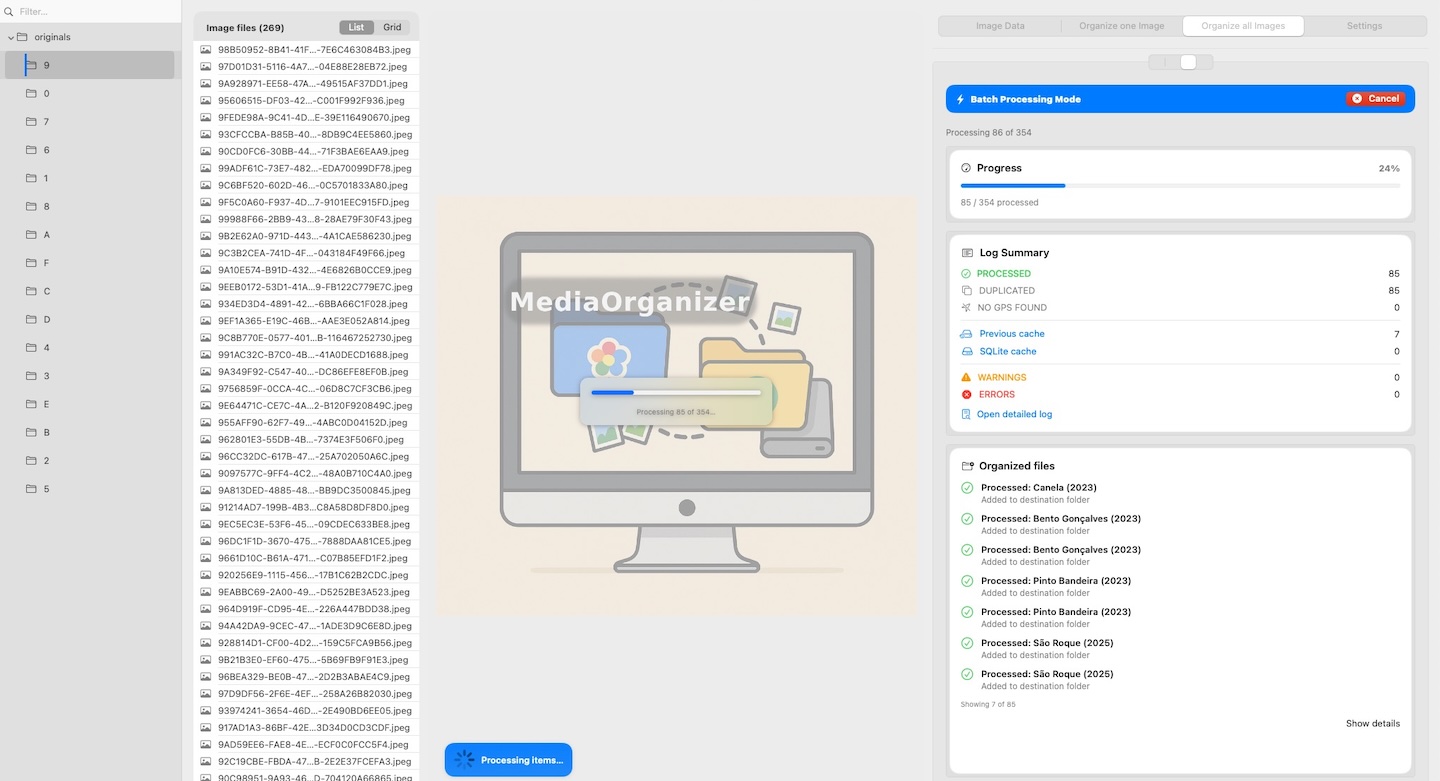
Process new batches or large historical archives with live progress, clear logs, and instant cancel.
Missing Metadata
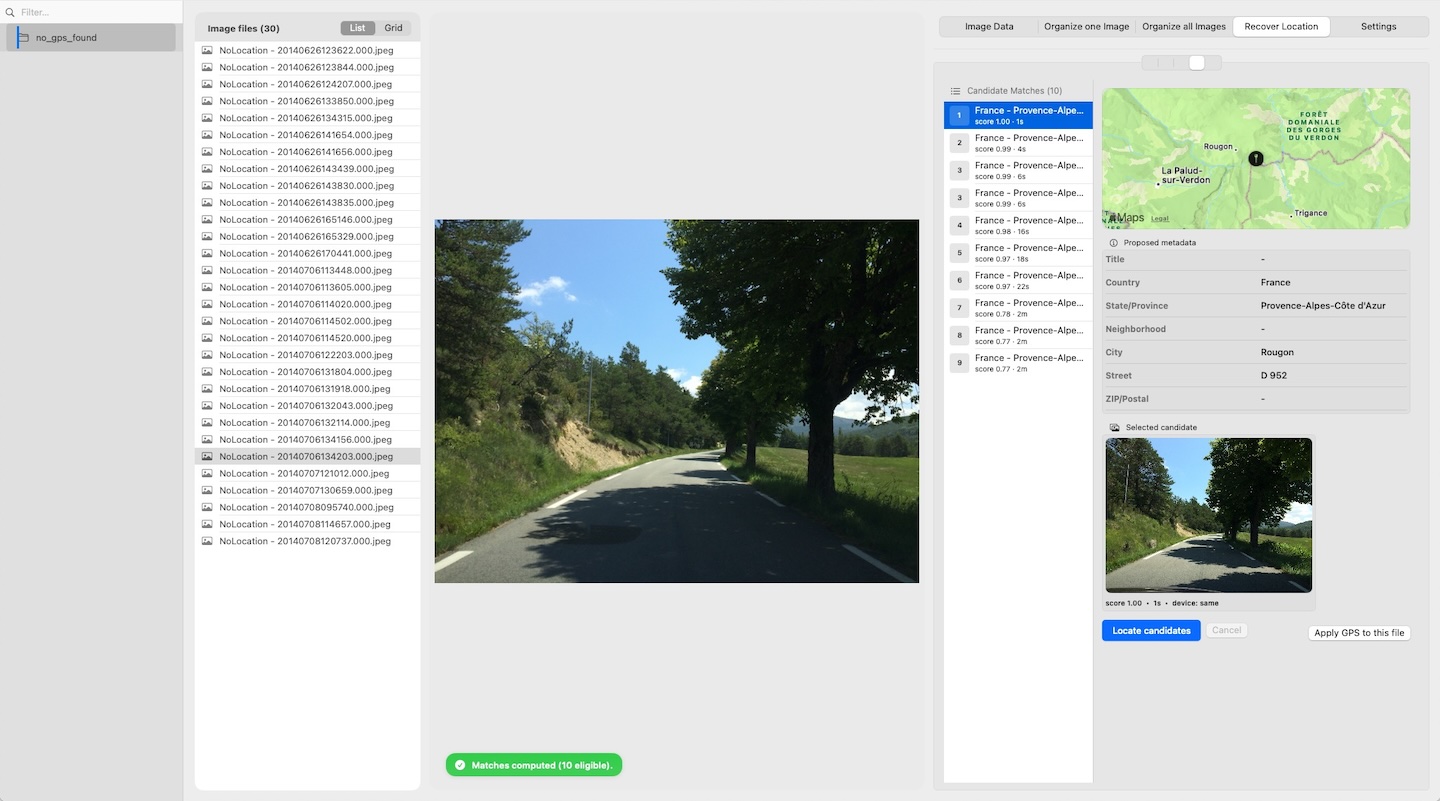
Restore missing location information using nearby photos from the same period.
Scanned & Old Photos
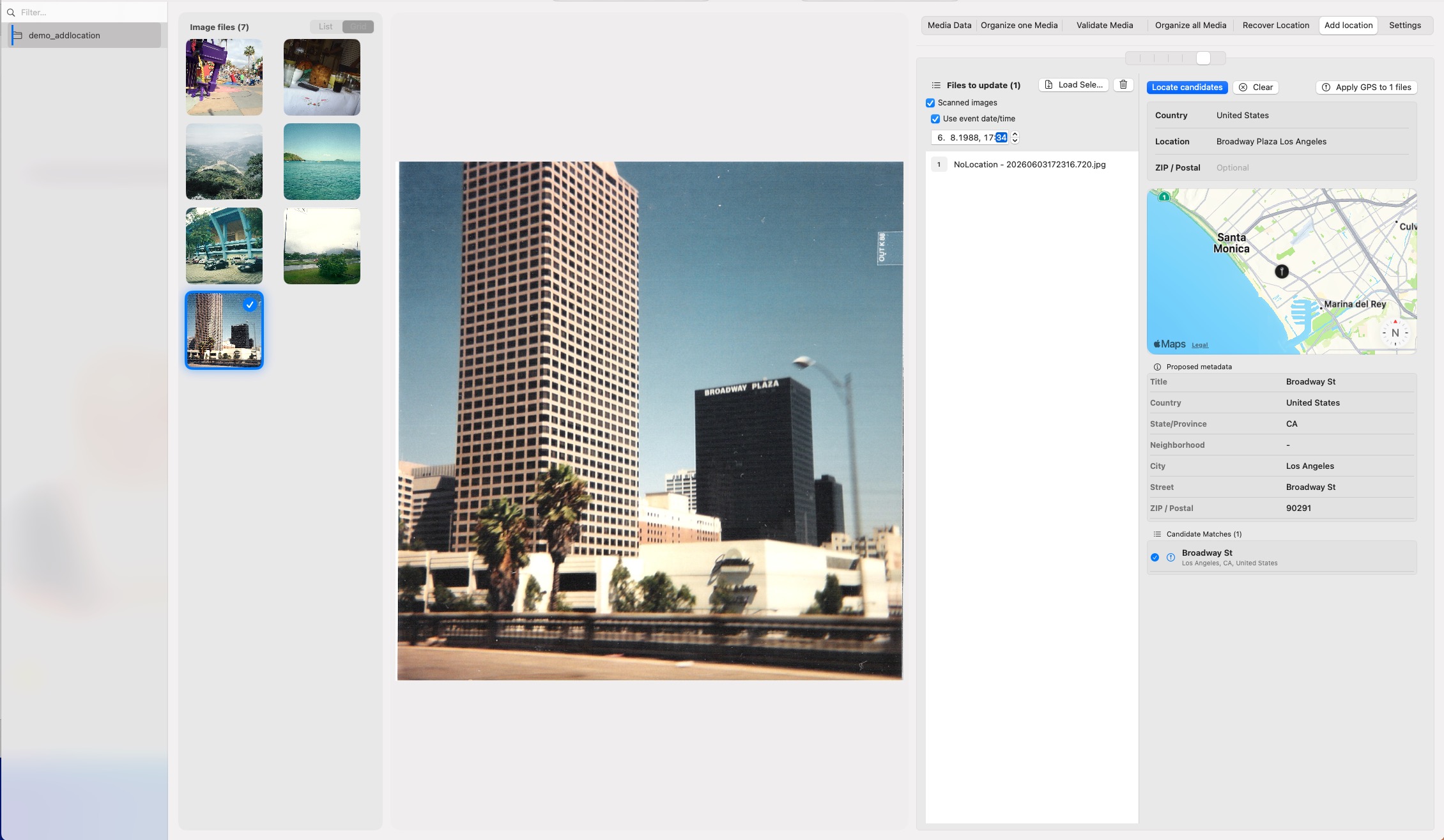
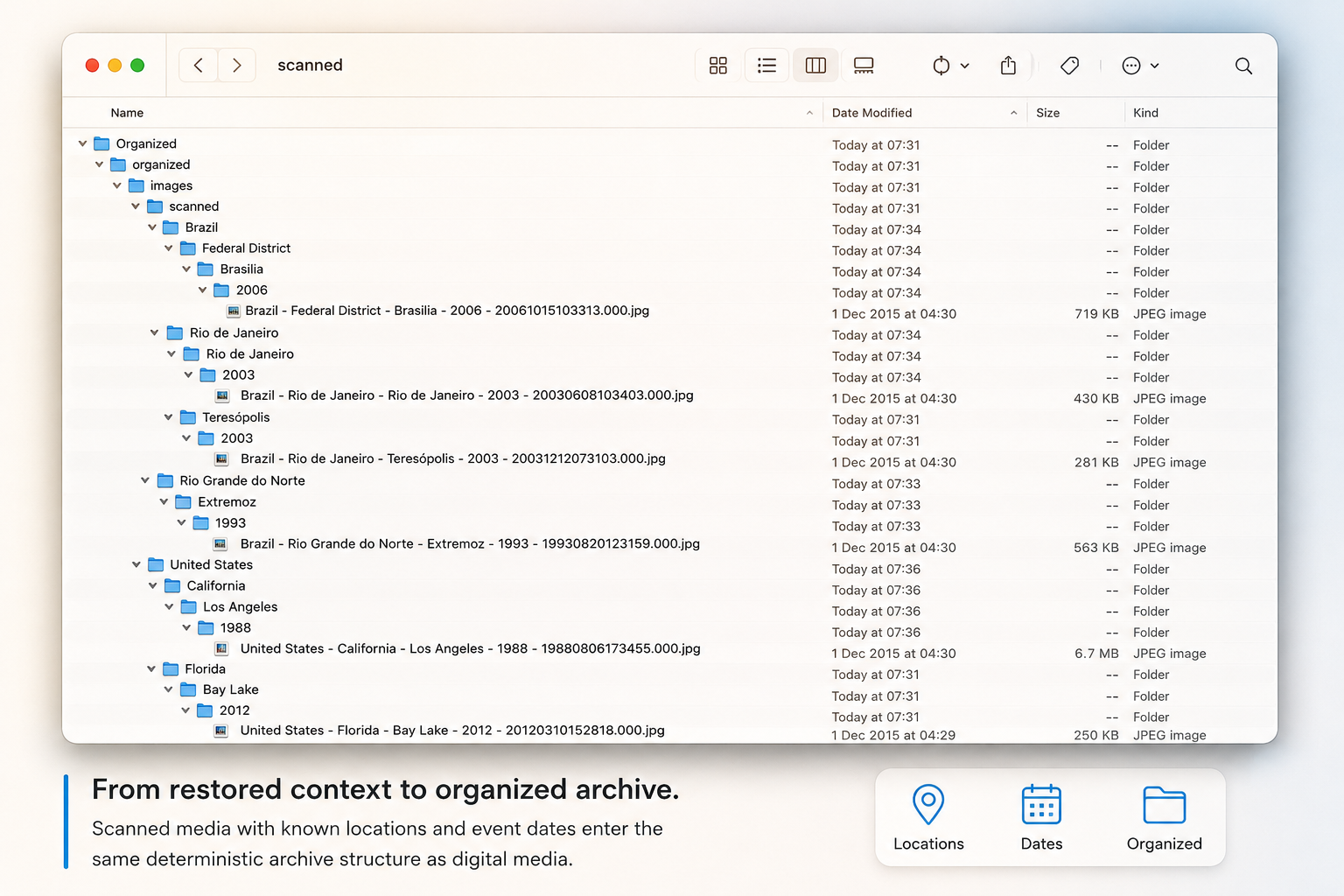
Add the places and dates you remember to old or scanned photos, so MediaOrganizer can put them where they belong in your archive.
New in MediaOrganizer 3.0
Scanned photos often come from a time before cameras recorded locations and reliable dates. Once scanned, the file may know when it was digitized — but not when the photo was taken or where that moment happened.
You may know what the file cannot know. Or someone in your family may remember. A parent, sibling, child, or relative may recognize the place, the event, or the approximate date behind an old photograph.
Add Location lets you bring that knowledge back to the photo. Add the place you remember and, when you know it, the event date. MediaOrganizer can then use that information to place the photo where it belongs in your organized archive.

Workflow Overview
Bring your photos and videos together, check that they are usable, restore missing places or dates when needed, and organize everything into a clear structure you can keep over time. Use the same workflow again whenever new media arrives.
Why MediaOrganizer
Organize the collection you already have, then come back whenever new photos, videos, scans, or imported libraries arrive. MediaOrganizer gives you one repeatable way to keep everything structured, reviewable, and under your control.
Process new photos, videos, trips, family events, imported libraries, recovered disks, and scanned collections through the same repeatable workflow you used to build the archive.
Review your media and the proposed changes before processing a large collection.
Invalid media, duplicates, unresolved locations, and other exceptions are separated instead of silently discarded.
Processing remains local, outcomes are logged, and the organized files stay portable across Finder, Apple Photos, Lightroom, DAM systems, backup, and future migrations.
One-time purchase. No subscription. Free updates.
Engineering Principles
MediaOrganizer was designed around a small set of engineering principles that guide every stage of the media processing workflow.
Your photos and videos remain on your Mac. MediaOrganizer does not upload media, require an account, collect analytics, or include tracking SDKs.
Your media is processed directly on your Mac. Analysis, metadata changes, and organization happen locally instead of sending your collection to a cloud service.
Results are produced through explicit technical rules. The same archive conditions lead to the same processing decisions.
Before organizing a large collection, MediaOrganizer can identify files that may be damaged, unreadable, or require attention. Problems are separated before the rest of the archive is processed.
Your archive remains independent, portable, and under your control. MediaOrganizer organizes your files without locking your collection into a proprietary library or cloud service.
MediaOrganizer does not automatically delete files. Duplicates, unresolved media, and files requiring review are separated so that the final decision remains with the user.
MediaOrganizer helps you turn photos and videos collected over years into an archive that is easier to understand, browse, and preserve. Missing information can be restored, difficult cases remain available for review, and the resulting structure stays clear as your collection grows.
Whether you are working with a new folder or years of photos and videos, you can review what MediaOrganizer finds and what it plans to do before processing begins.
.photoslibrary package as your file source.The same workflow can help organize a family photo collection, maintain a growing archive, or prepare media for professional tools.
Bring together years of photos and videos from phones, cameras, old computers, backups, and scanned collections. Organize the memories you already have and keep the archive growing in the same structure as new ones are added.
Prepare large or mixed media collections before bringing them into Photo Mechanic, Lightroom, Capture One, Final Cut, or another cataloging workflow. Normalize dates and metadata, resolve location information, and create a predictable file structure for ingest. Learn more →
Process thousands of photos and videos while following progress as it happens. Large collections remain manageable, and you can stop processing whenever you need to.
MediaOrganizer works directly with folders and .photoslibrary
packages as file sources. Processing and metadata changes happen locally
on your Mac, with your media remaining under your control.
No accounts, no analytics, no tracking SDKs. The only information that leaves your Mac is the coordinates sent to OpenStreetMap’s Nominatim service for geocoding, and the country, location, and postal code sent to Apple Maps when using Add Location. Nothing else leaves your computer.
Safe by default — you preview, test, and control every step before making changes.