Overview
MediaOrganizer is a macOS application for reorganizing large photo and video libraries using timestamps, EXIF metadata and GPS information. It creates a clean, deterministic folder structure while keeping all processing fully local on the user’s Mac.
It is designed as a quiet normalization layer before cataloging and editing tools such as Apple Photos, Photo Mechanic, Lightroom, Capture One, Final Cut and DaVinci Resolve — ideal for photographers, videomakers and anyone with years of scattered media across drives, backups and devices.
Quick facts
- Product name: MediaOrganizer
- Platform: macOS
- Category: Photo / Video utilities, File & media organization
- Developer: Bright Foundry (independent macOS studio)
- Availability: Mac App Store
- Business model: Paid app, no subscription
- Processing: 100% local, no cloud, no accounts required
Official links
- Product page: brightfoundry.info/mediaorganizer
- Mac App Store: apps.apple.com/app/id6755330599
- For everyone: MediaOrganizer for personal libraries
- For professionals: MediaOrganizer for professional workflows
One-line descriptions
You may use any of the following one-line descriptions as needed:
- Short: A local macOS tool to reorganize large photo and video libraries using metadata.
- For photographers: File-level media normalization on macOS before Lightroom, Photo Mechanic or Capture One – clean media, trustworthy metadata.
- For general users: A simple way to turn years of scattered photos and videos into a clear, private folder structure.
Key features
- Metadata-driven organization: Uses timestamps, EXIF and GPS data to build a predictable folder structure.
- Recover Location: Helps restore missing GPS metadata through a guided, user-controlled review workflow.
- Clean folder layouts: Organize by year, month, day and location (country / region / city) with readable names.
- Fully local, privacy-first: No uploads, accounts or external processing. Everything runs on the user’s Mac.
- Safe duplicate handling: Potential duplicates are moved to a dedicated area for review instead of being silently deleted.
- Preview before batch: Users can try the workflow on a single file and inspect names, folders and locations before running a full batch.
- Photos Library support: Can read from Apple Photos Libraries and write an organized copy to a separate destination folder.
Featured Assets
The assets below are provided for articles, reviews and mentions. They may be used to illustrate MediaOrganizer in online or print publications, as long as they are not modified in a misleading way.

App Icon
Transparent PNG app icon for articles and reviews.
Download PNG →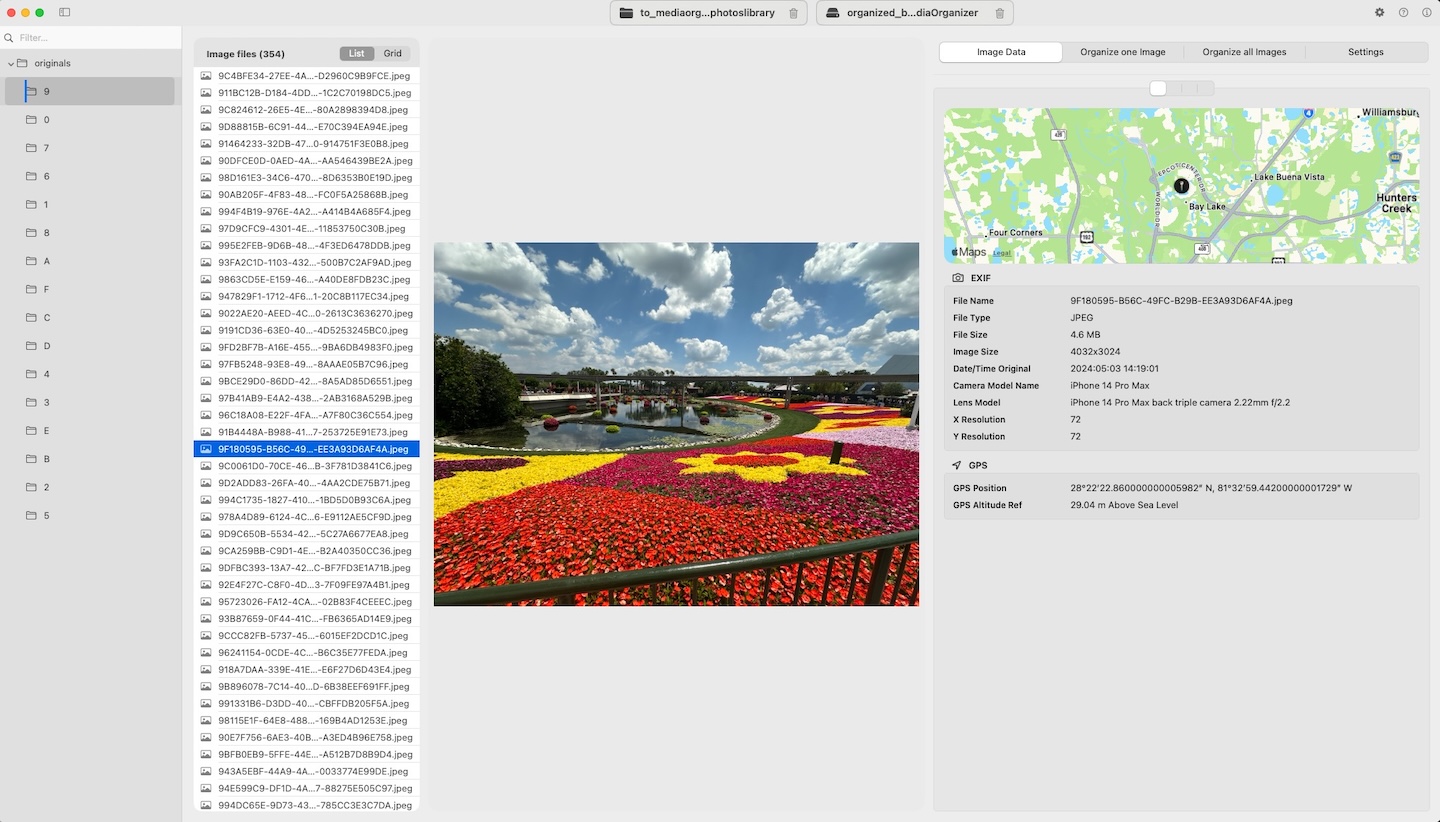
Main Window
Main MediaOrganizer Studio interface.
Download JPG →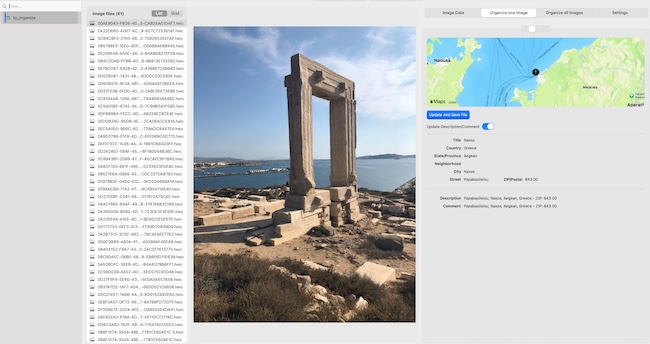
Single-Image Preview
Preview workflow before running a full batch.
Download JPG →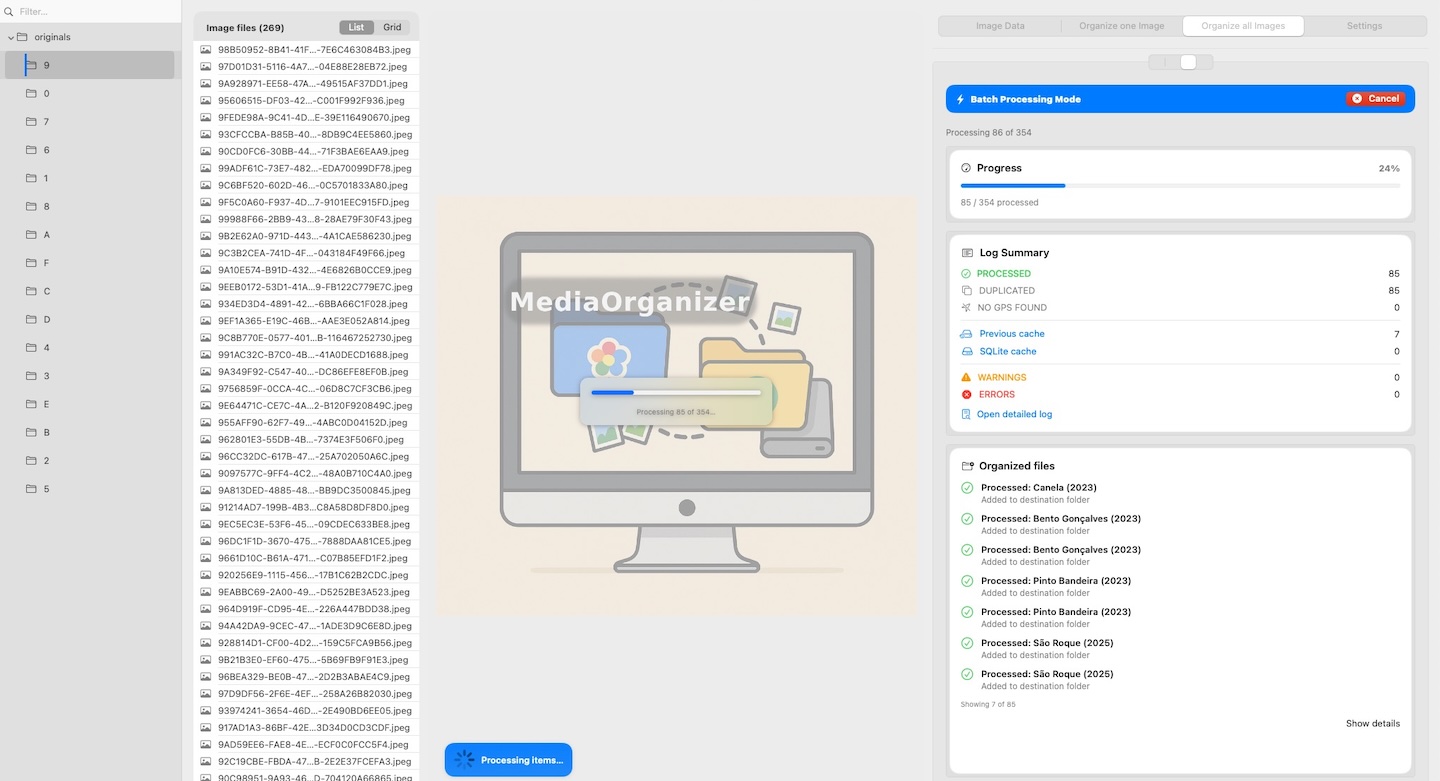
Batch Processing
Batch execution view for larger media libraries.
Download JPG →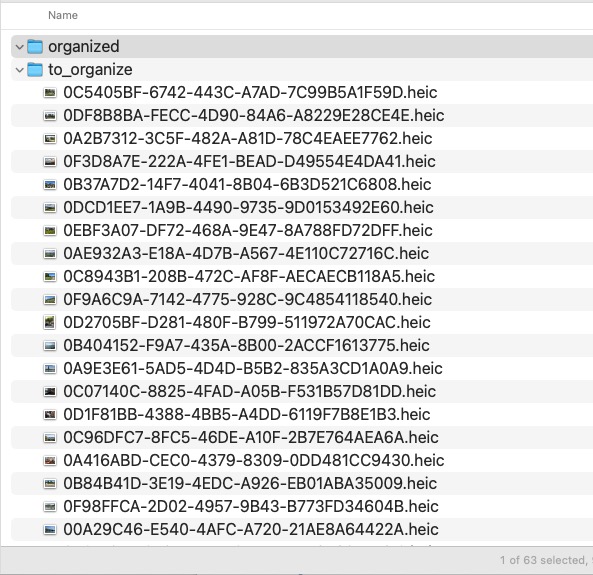
Before
Example of an unstructured media folder before normalization.
Download JPG →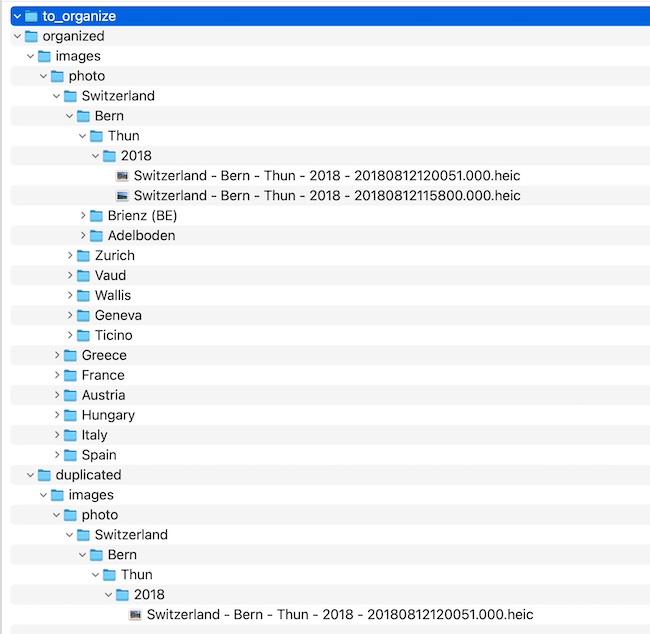
After
Example of deterministic folder structure after normalization.
Download JPG →Download Package
Download MediaOrganizer logos, screenshots, product information, video links, and research links in a single press kit archive.
The package is intended for articles, reviews, product mentions, and editorial evaluation. For the latest operational studies and benchmark material, see the published case studies.
Research and Operational Studies
MediaOrganizer Studio has been documented through a series of operational studies based on real-world archives, Apple Photos Libraries, fragmented folder collections and long-running normalization workloads.
These studies explore deterministic file-level media normalization, archive structure, metadata behavior, geolocation recovery workflows and operational characteristics observed during large-scale execution.
-
Managed Libraries
Normalization behavior in Apple Photos Libraries and managed media collections. -
Structural Entropy
Analysis of fragmented archives, directory complexity and normalization under operational entropy. -
Operational Normalization
Consolidated operational observations from large-scale media normalization workloads. -
Case Studies Index
Complete collection of published studies, benchmark material and supporting documentation.
Additional benchmark material, figures and demonstration videos are available throughout the Case Studies section.
Media Coverage
Articles, reviews, interviews and independent mentions of MediaOrganizer Studio will be listed here as they become available.
If you publish a review, article or video about MediaOrganizer Studio, please let us know so we can include it in this section.
Research & Documentation
MediaOrganizer Studio is accompanied by public documentation covering file-level media normalization, operational benchmarks, archive structure, metadata workflows and large-scale media processing observations.
The material is intended for reviewers, researchers, archivists, photographers and professionals interested in understanding how deterministic media normalization behaves under real-world conditions.
-
Media Normalization
Conceptual introduction to file-level media normalization and long-term archive organization. -
Case Studies
Published operational studies, benchmark results and supporting figures. -
Video Demonstrations
Product overviews, benchmark samples and workflow demonstrations. -
Guides & Reference Articles
Practical documentation covering photo libraries, metadata, archive management and migration workflows.
Together, these resources provide both conceptual and operational context for MediaOrganizer Studio and its normalization workflow.
About Bright Foundry
Bright Foundry is an independent macOS studio focused on privacy-first tools and clear, reliable workflows. The studio designs software that feels native to macOS and stays out of the way, while solving practical problems for users with large archives and demanding day-to-day work.
Contact
For press enquiries, review requests or additional assets:
- Email: contact@brightfoundry.info
- Website: brightfoundry.info
If you publish an article, review or video about MediaOrganizer, we would be happy to hear about it.