Recover Missing GPS Metadata from Photos
Practical strategies for recovering location context when photos contain no GPS metadata.
This guide follows a file-level media normalization approach.
Why photos sometimes have no GPS metadata
Large media archives rarely come from a single device or workflow. Over time they accumulate images from phones, cameras, backups, exports and cloud sync systems.
Because of this, it is very common to find photos that contain no GPS metadata at all.
- Older cameras often had no GPS capability.
- Location permissions may have been disabled.
- Editing or export workflows sometimes strip metadata.
- Cloud services may normalize files differently.
In long-lived archives, the result is a mix of files:
- photos with reliable GPS metadata
- photos with partial metadata
- photos with no GPS information at all
Why missing GPS should be handled explicitly
Many workflows silently guess location based on nearby images. While this may appear convenient, it can introduce incorrect metadata into the archive.
In a deterministic archive structure, uncertainty should be visible rather than hidden.
That is why MediaOrganizer isolates files without GPS metadata instead of guessing their location automatically.
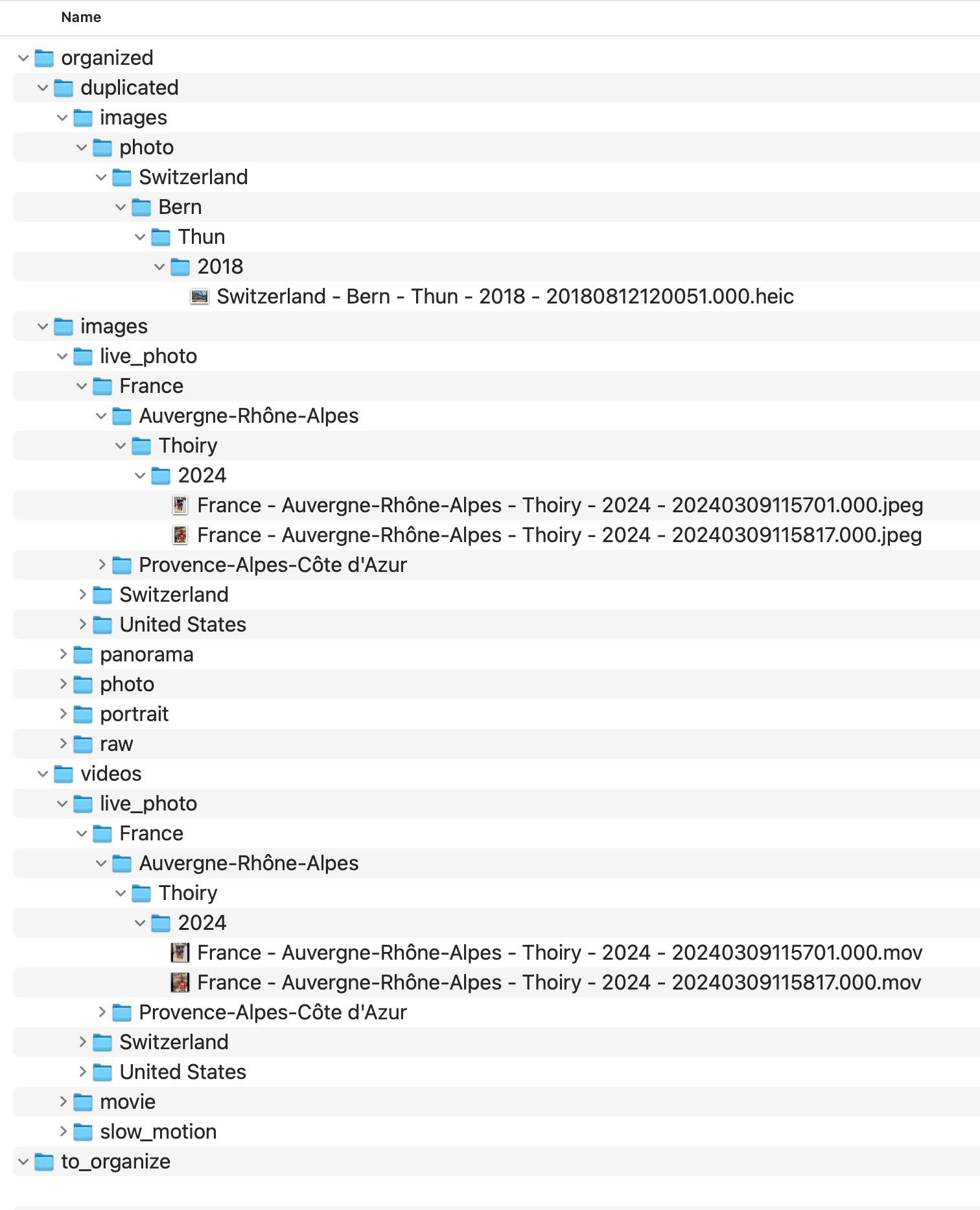
How location context can often be recovered
Even when a photo has no GPS metadata, it rarely exists in isolation. Photos tend to appear in trips, events, or shooting sessions where other files may still contain useful context.
Recovering location safely requires more than guessing. MediaOrganizer provides a guided review workflow that helps users evaluate contextual evidence before applying any location metadata.
The Recover Location workflow
MediaOrganizer includes a workflow specifically designed for this situation.
Watch Recover Location in action: review location context and apply GPS information manually to files that lost their location metadata.
Recover Location helps restore missing GPS metadata through a guided, user-controlled review workflow.
The Recover Location panel helps review location context using existing information in the archive.
Recover Location Example
The workflow begins by selecting the archive context to review. MediaOrganizer keeps the process manual and transparent before any metadata is written.
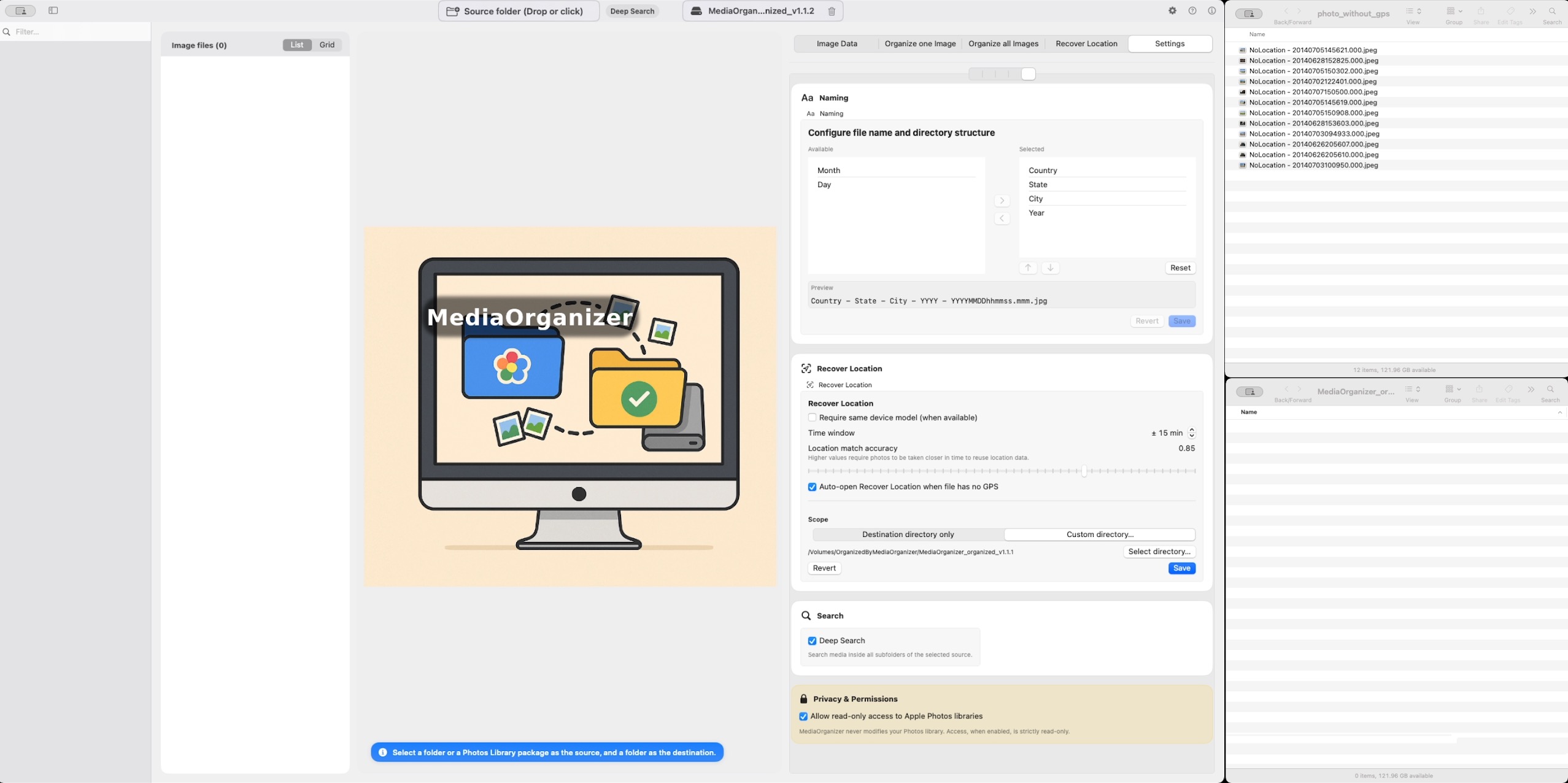
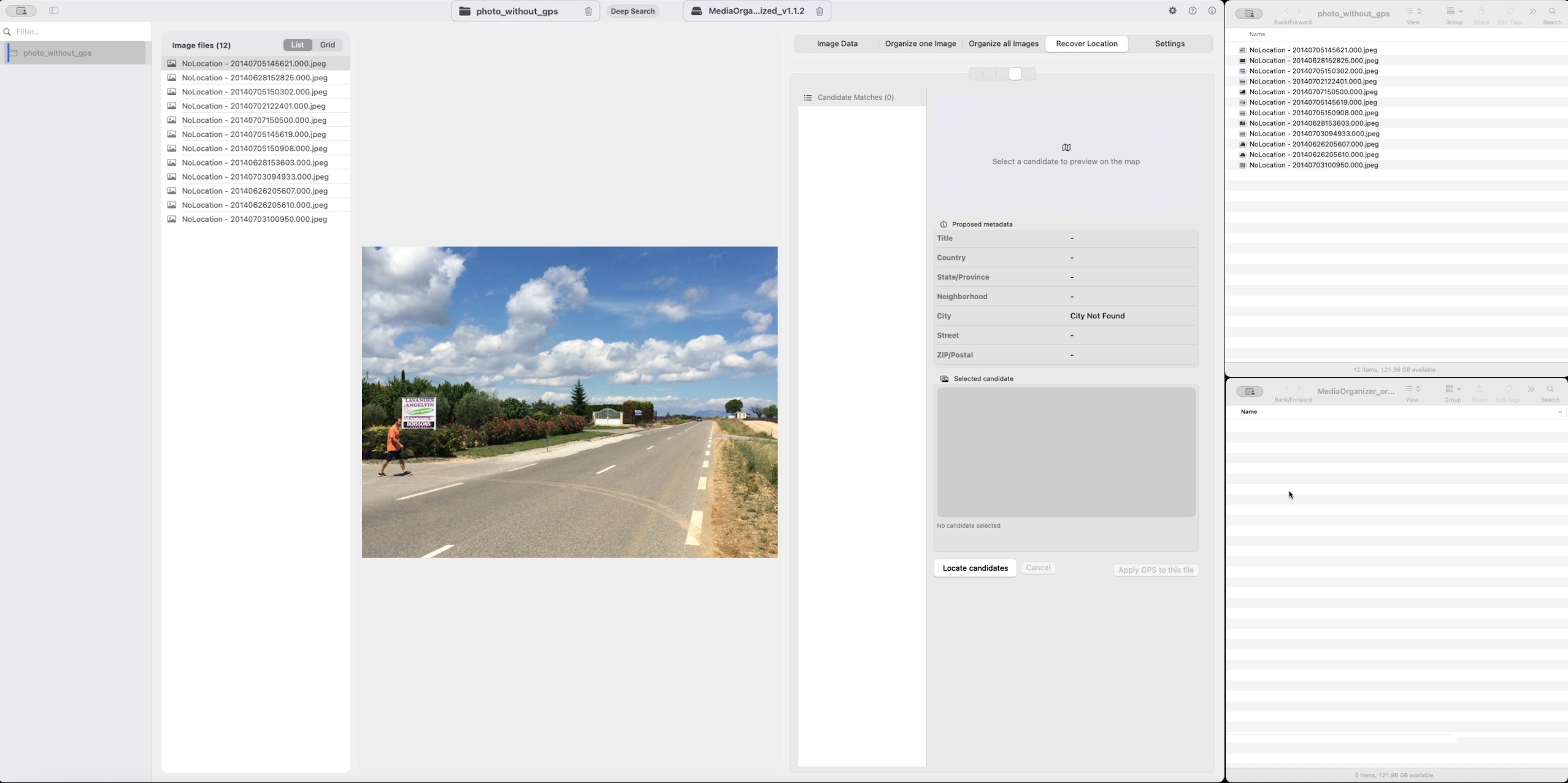
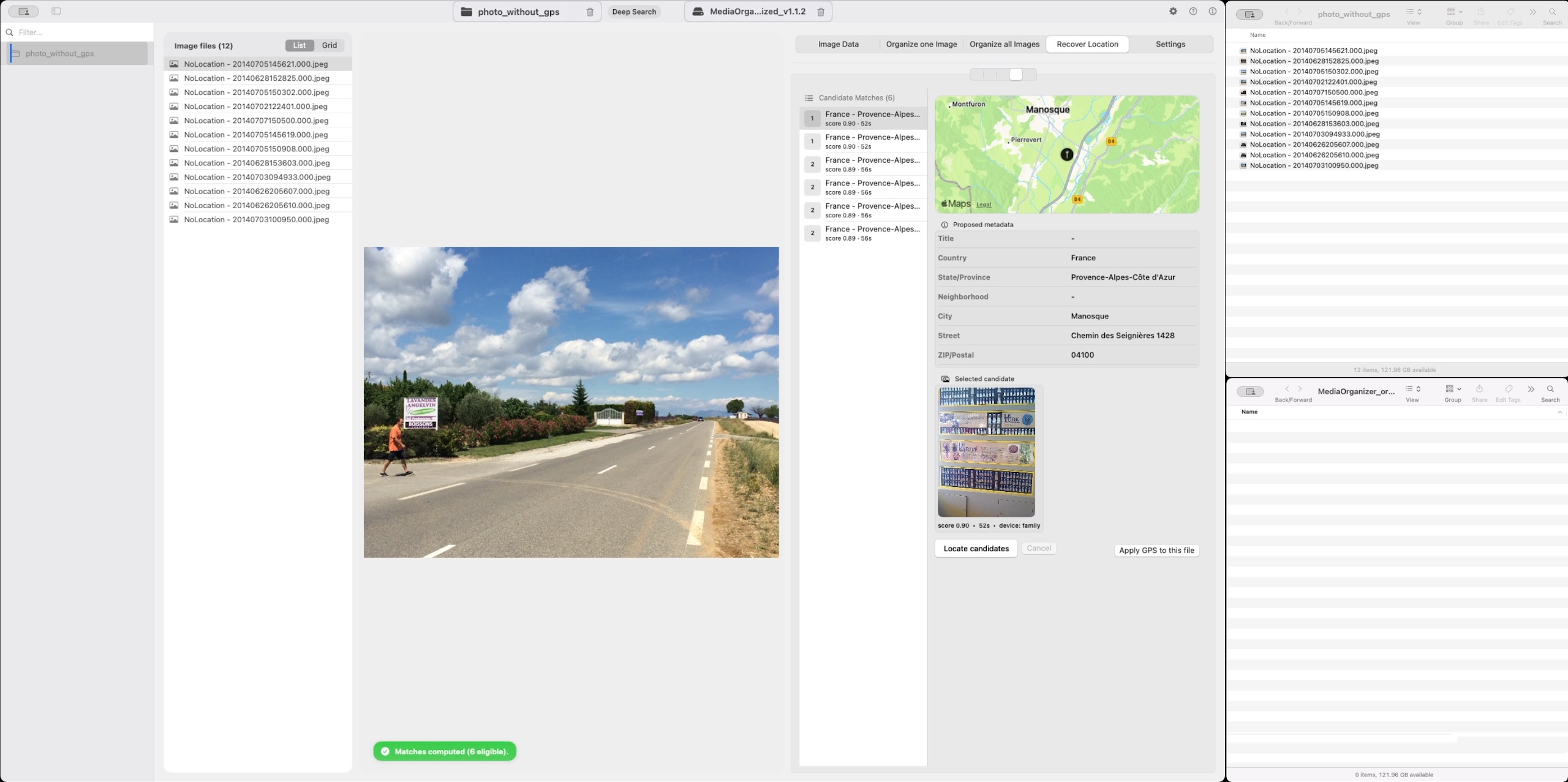
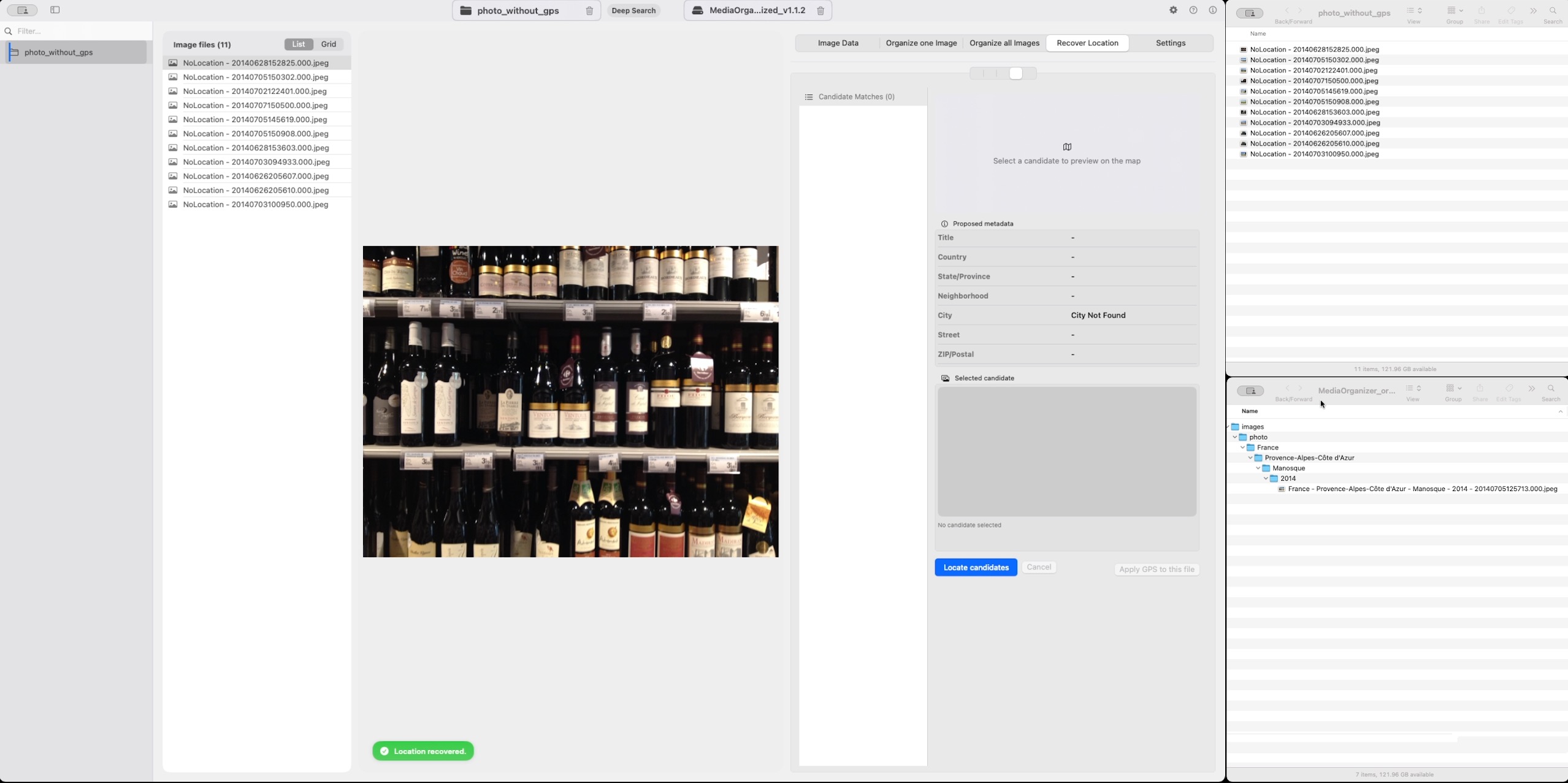
Importantly, recovery is always manual. The application never applies recovered coordinates automatically.
This ensures the archive remains deterministic and avoids introducing incorrect location data.
When location cannot be recovered
Sometimes a photo simply has no usable context.
When this happens, the file remains in an explicit review area of the archive.
Keeping those files explicit ensures the archive remains understandable and auditable over time.
Why this step matters before any catalog system
Catalog systems like Lightroom or Apple Photos are excellent at indexing media. But if the underlying archive structure is inconsistent, the catalog inherits that complexity.
Once the archive itself is normalized into a deterministic structure, catalog systems are no longer compensating for structural drift. They are simply indexing an already coherent archive.
Where media normalization fits
The file-level problem described in this guide is one part of a broader media normalization workflow: establishing deterministic structure, explicit exceptions and tool-independent organization before relying on Lightroom, Apple Photos or any DAM system.
Related guides
- How Photo GPS Metadata Works
- Organize Photos Before Lightroom Import
- Consolidate Photos from Multiple External Drives