Preparing Photos Before Importing into Any DAM
A practical workflow based on file-level media normalization before Lightroom, Apple Photos or any digital asset management system imports the archive.
This guide follows a file-level media normalization approach.
Why preparation matters before any DAM
Digital asset management systems are excellent at indexing, browsing and searching media. But they usually inherit the structural quality of whatever archive is imported into them.
If the incoming file layer is inconsistent, the DAM often ends up compensating for:
- duplicate imports,
- scattered source folders,
- legacy device naming,
- mixed metadata quality,
- missing GPS on parts of the archive,
- old folder structures that reflect hardware history rather than media identity.
That is why archive preparation matters. The strongest DAM workflows usually begin before the first import.
What file-level media normalization means
File-level media normalization means organizing the media archive at the file layer before any catalog, library or DAM takes ownership of it.
Because this preparation happens before any catalog system interacts with the files, it can be thought of as a Step 0 in the archive workflow.
Instead of asking the catalog to absorb years of structural drift, the archive is normalized first into a deterministic target.
In that model:
- the file is the canonical unit,
- metadata is the structural source of truth,
- the DAM becomes an index on top of an already coherent archive.
Why importing first often preserves structural drift
If media is imported directly from whatever folders happen to exist, the DAM receives a structure already shaped by years of accidents:
- old backup copies,
- partial exports,
- camera card remnants,
- phone sync folders,
- device-specific naming patterns,
- duplicate history across drives.
The DAM may manage that complexity well, but it is still complexity that exists underneath.
File-level media normalization aims to reduce that complexity before import.
What should be prepared before import
A strong pre-import workflow usually addresses five structural questions:
- Where are the source files actually coming from?
- What metadata can be trusted as intrinsic identity?
- How should the canonical target structure be built?
- How should duplicate candidates be handled?
- How should files with missing location be handled?
These questions belong to the file layer, not only to the catalog layer.
What metadata is most useful before DAM import
In a deterministic preparation workflow, the most important signals usually come from metadata already stored in the files:
- capture metadata, ideally including reliable timestamp precision when available,
- GPS metadata, when present,
- device identity, as additional context.
These signals are stronger than inherited folder names or temporary import locations.
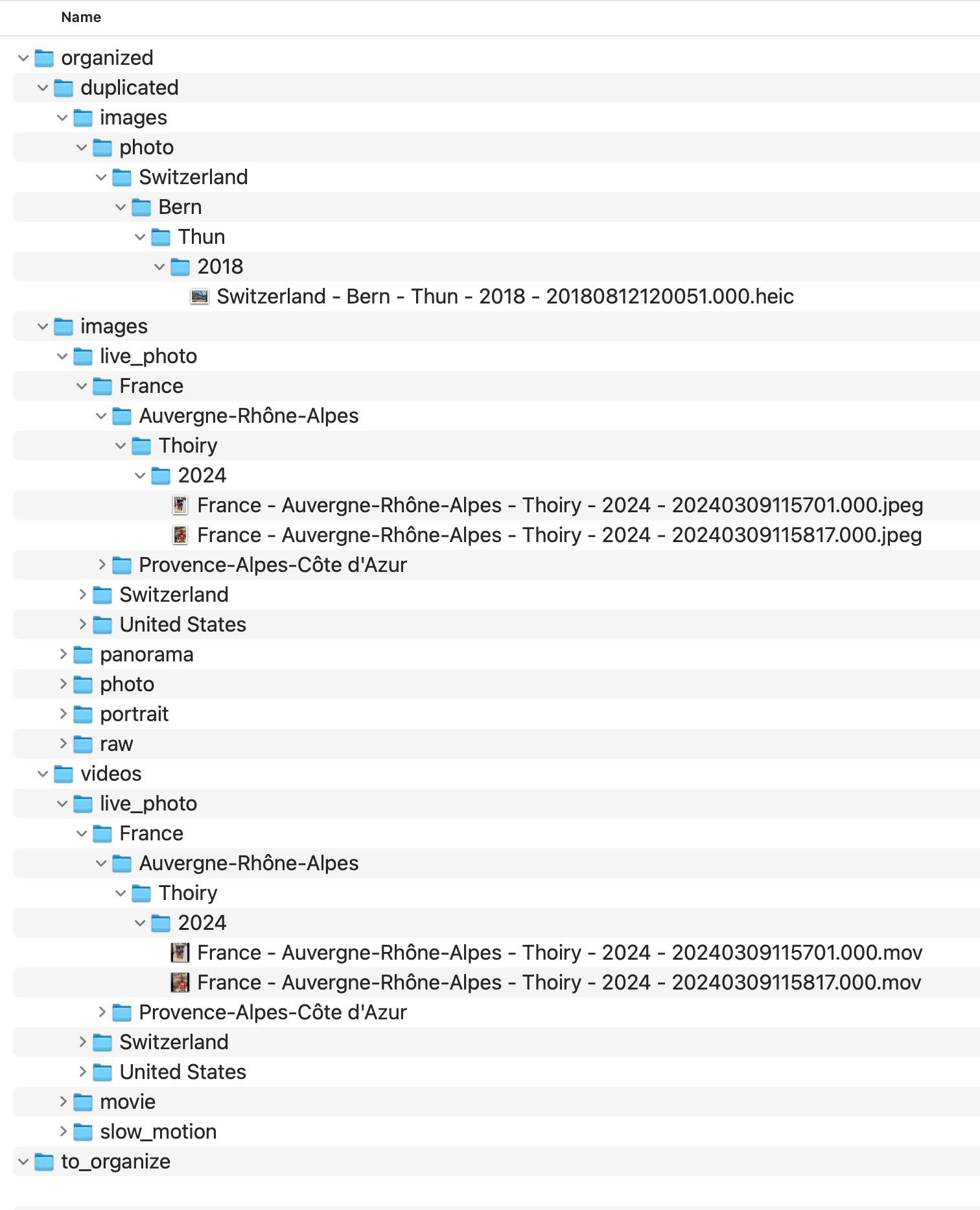
What a normalized target looks like
The goal of file-level media normalization is not to reorganize old source folders manually forever. It is to create a new canonical destination built from repeatable rules.
A common strong pattern is:
a stable hierarchy based on reliable date and location context
with deterministic filenames derived from capture metadata.

Why duplicates should be handled before import
Duplicates become much harder to interpret once they are mixed into a larger catalog. Inherited overlap from drives, exports and repeated imports can easily distort the imported structure.
File-level media normalization does not require deleting everything aggressively. It means making structural collisions explicit before cataloging the archive.
That makes later review safer and more transparent.
Why missing GPS should also be explicit
Files without usable GPS metadata should not be forced into guessed locations before import.
A stronger workflow keeps those items visible in a dedicated review area, rather than silently injecting uncertain location assumptions into the archive.
That is especially important when the archive is intended to remain durable across tools and years.
What MediaOrganizer does in file-level media normalization
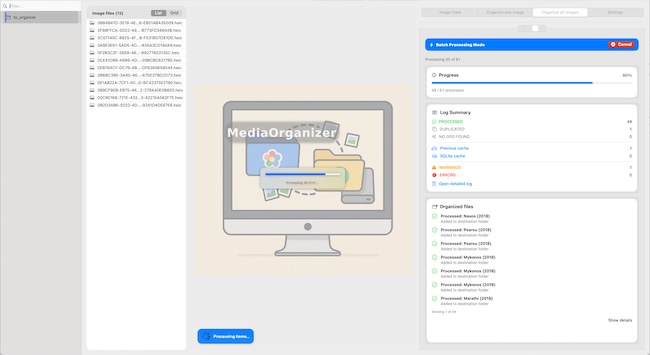
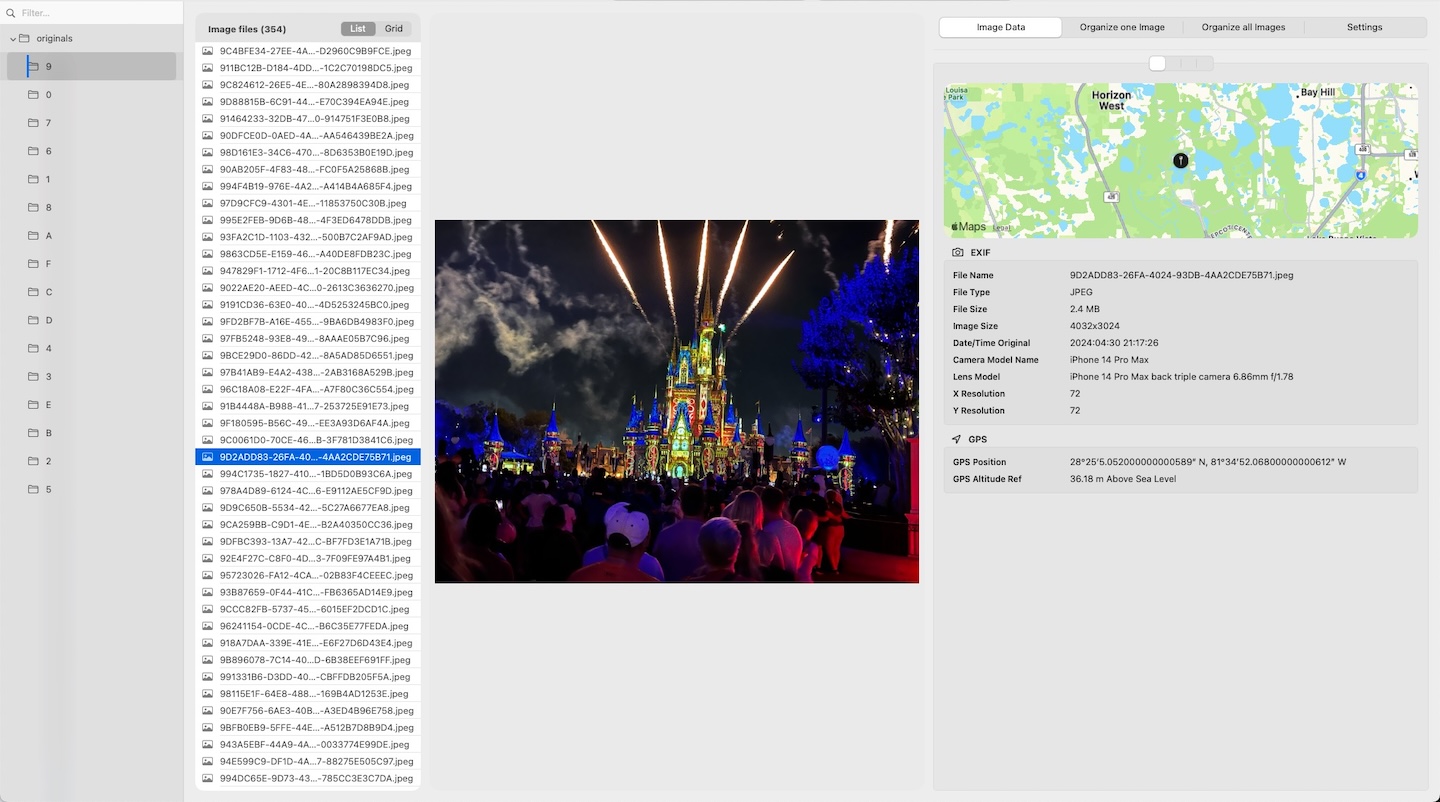
MediaOrganizer was designed to prepare media before cataloging by normalizing the file layer itself.
It can:
- extract media from selected sources,
- build a deterministic target structure,
- use reliable capture metadata as stable identity,
- use GPS when available,
- isolate duplicate candidates,
- keep missing-location items explicit for later review.

Why this works across Lightroom, Apple Photos and other DAMs
The advantage of file-level media normalization is that it is not tied to one catalog system.
Once the file layer itself has become coherent, different DAMs can index the archive without having to compensate for years of structural drift.
In that sense, file-level media normalization is not a replacement for a DAM. It is preparation for a DAM.
When file-level media normalization is especially valuable
This preparation layer is especially useful when:
- the archive comes from multiple devices,
- media is spread across drives,
- duplicate history is unclear,
- the collection is large,
- the user wants one canonical file structure before cataloging.
Practical pre-import principles
- Do not assume existing folders are already canonical.
- Treat the file as the canonical unit.
- Use metadata-driven structure wherever possible.
- Keep duplicate candidates explicit.
- Keep missing GPS items explicit.
- Import into the DAM only after the file layer is coherent.
FAQ
Should I organize photos before importing into a DAM?
In many cases, yes. A stronger file layer makes the archive more portable, rebuildable and easier for any DAM to index consistently.
Is file-level media normalization only relevant for Lightroom?
No. The same principle applies to Apple Photos, Lightroom and other catalog or DAM systems. It is about the file layer, not one specific application.
Does file-level media normalization replace a catalog system?
No. It prepares the archive so the catalog works on top of a more coherent structure.
Why not just import first and clean up later?
Because structural drift, duplicates and uncertain metadata become harder to interpret once they are already mixed into a large catalog.
Where media normalization fits
The file-level problem described in this guide is one part of a broader media normalization workflow: establishing deterministic structure, explicit exceptions and tool-independent organization before relying on Lightroom, Apple Photos or any DAM system.
Related guides
- Organize Photos Before Lightroom Import
- Best Folder Structure for a Long-Term Photo Archive
- How to Manage a Large Photo Archive
- How Photo GPS Metadata Works