Organize Photos Across Multiple Macs and Devices
A deterministic workflow for consolidating photos spread across Macs, iPhones, and drives into one rebuildable archive — without uncontrolled duplication.
This guide follows a file-level media normalization approach — establishing deterministic file structure before importing media into catalog or DAM systems.
The real problem
Modern photo collections rarely live on a single machine. Photos are captured on iPhone, imported on a MacBook, copied via AirDrop, backed up to external drives, and eventually migrated to a new Mac.
The files still exist — but structure, consistency, and identity begin to drift. Years later, the difficult question becomes: Which copy is canonical?
Why multi-device fragmentation happens
- Imports happen multiple times (especially during upgrades and migrations).
- AirDrop and messaging create parallel sets with different filenames.
- Manual transfers rename folders inconsistently (“new photos”, “camera roll”, “imports”).
- iCloud sync overlaps with local storage creating ambiguous duplicates.
- Backups get mistaken for originals when drives are reconnected later.
The result is not just duplication. It is structural ambiguity.
One deterministic approach on macOS
The goal is to create one canonical archive where identity is explicit and rebuildable: filenames and folders are derived from capture metadata — not from device history.
Principles
- Identity from capture metadata: EXIF capture timestamp (using reliable timestamp precision) + GPS when available.
- Deterministic filenames: predictable, stable naming derived from that identity.
- Explicit collisions: never overwrite — isolate collisions in a duplicate review area.
- Explicit uncertainty: isolate missing GPS in an explicit review area for missing location context for manual review.
- Device independence: the archive should make sense in Finder without any catalog.
Practical workflow: process sources one by one
You will repeat the same workflow for each Source (folder or .photoslibrary) while keeping one Target.
MediaOrganizer consolidates everything into the same deterministic structure.
- Identify sources: folders from each Mac and any Apple Photos libraries (
.photoslibrary). - Keep one Target: choose a single destination that becomes your canonical archive.
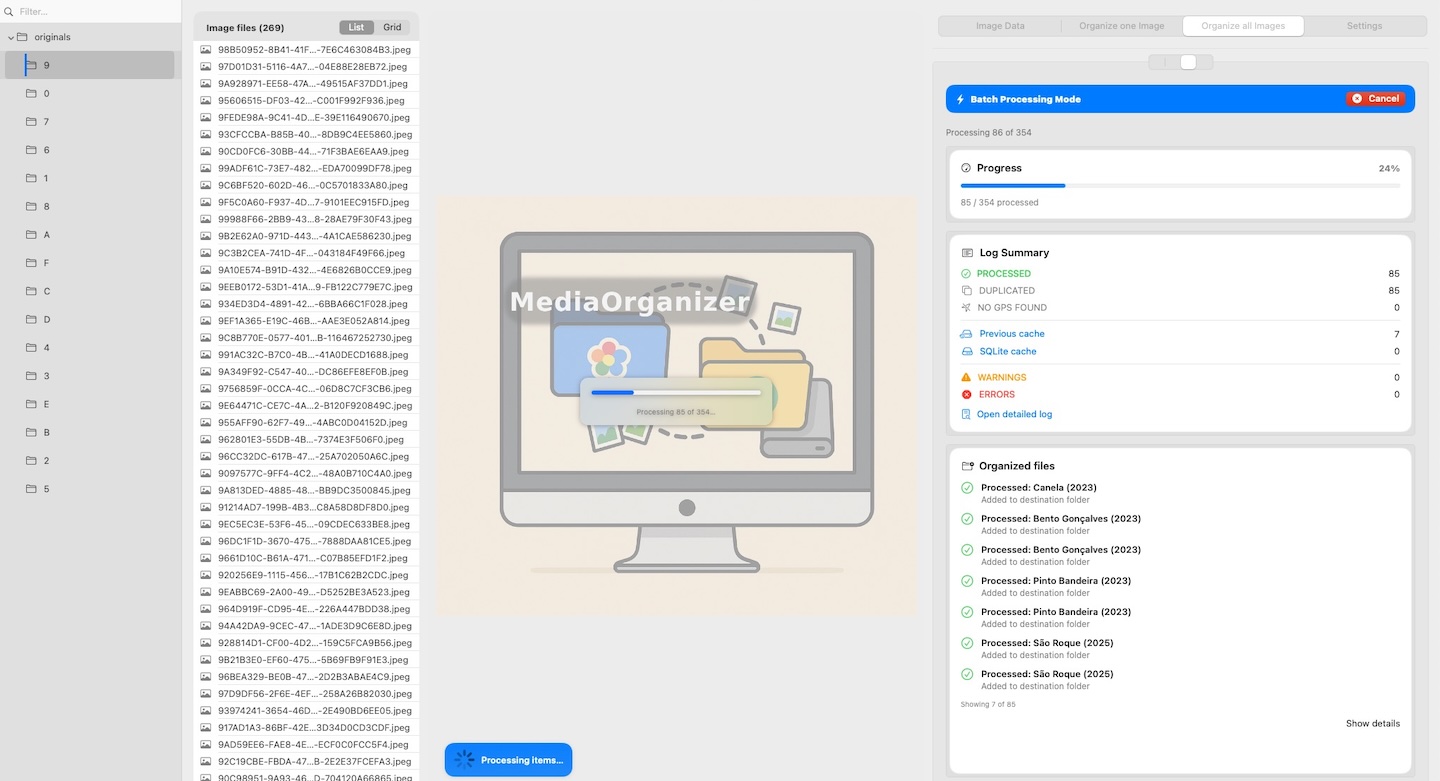
- Process each source independently: run the organizer for one source at a time into the same Target.
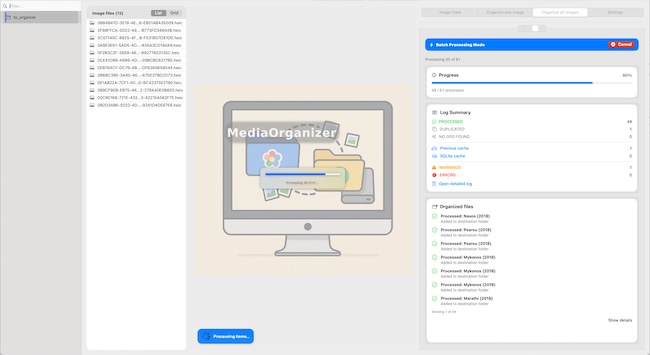
- Let collisions stay explicit: duplicates go to a duplicate review area (no silent deletion).
- Resolve missing GPS intentionally: review items in an explicit review area for missing location context by trip/event context.
This “one source at a time” approach matters: it prevents accidental mixing, while still allowing the app to consolidate everything into one canonical archive.


Duplicate isolation (never overwrite)
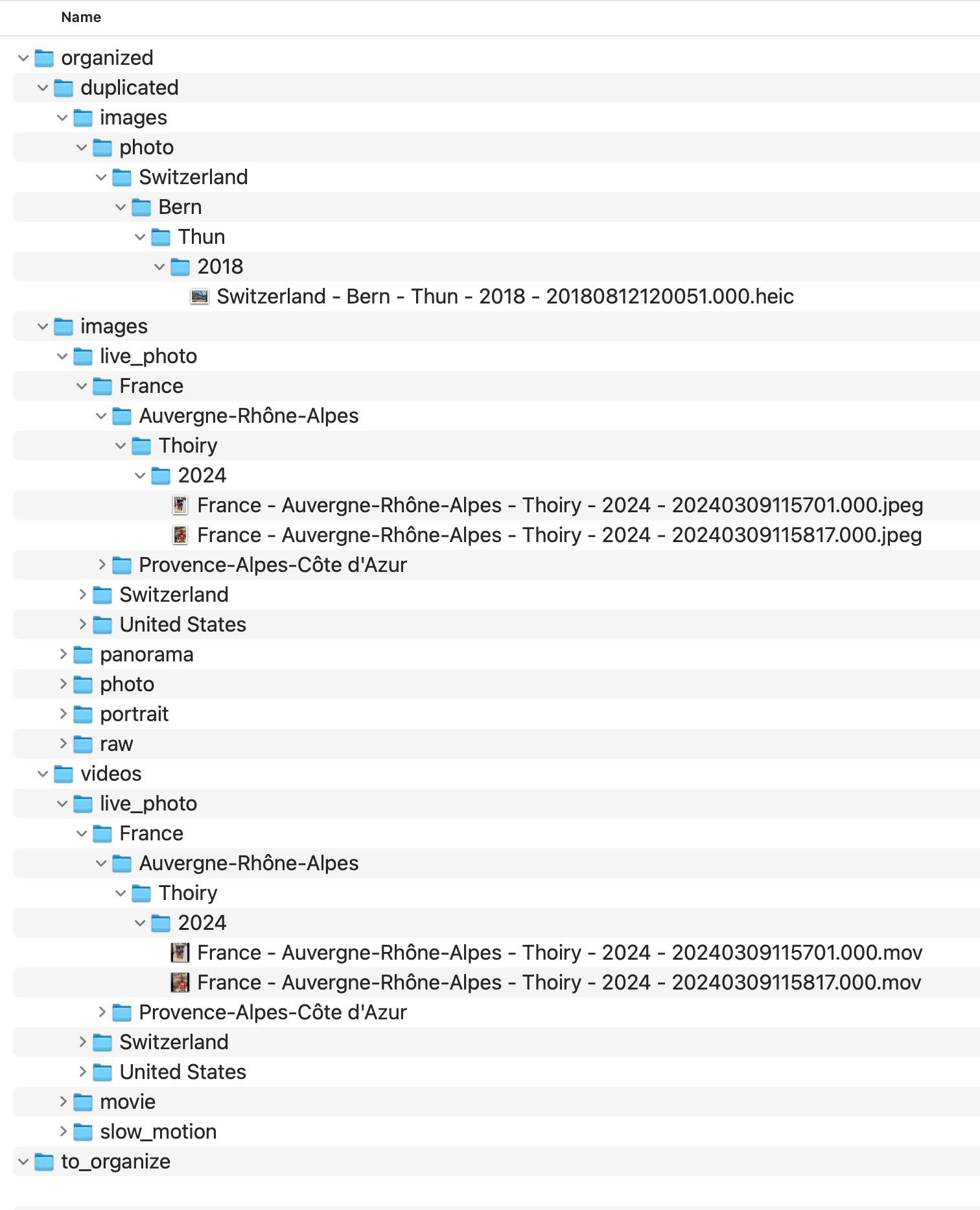
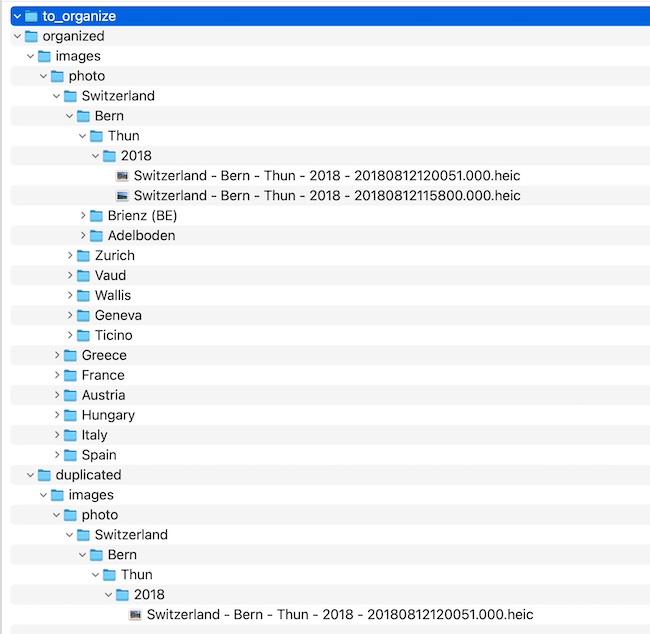
When the same capture exists on multiple Macs, filenames may differ — but capture identity does not. MediaOrganizer treats duplicates as structural identity collisions in the Target.
MediaOrganizer does not overwrite anything. Instead, it isolates the incoming media under a duplicate review area, preserving the same folder hierarchy for context and manual review.
Identity: timestamp + GPS
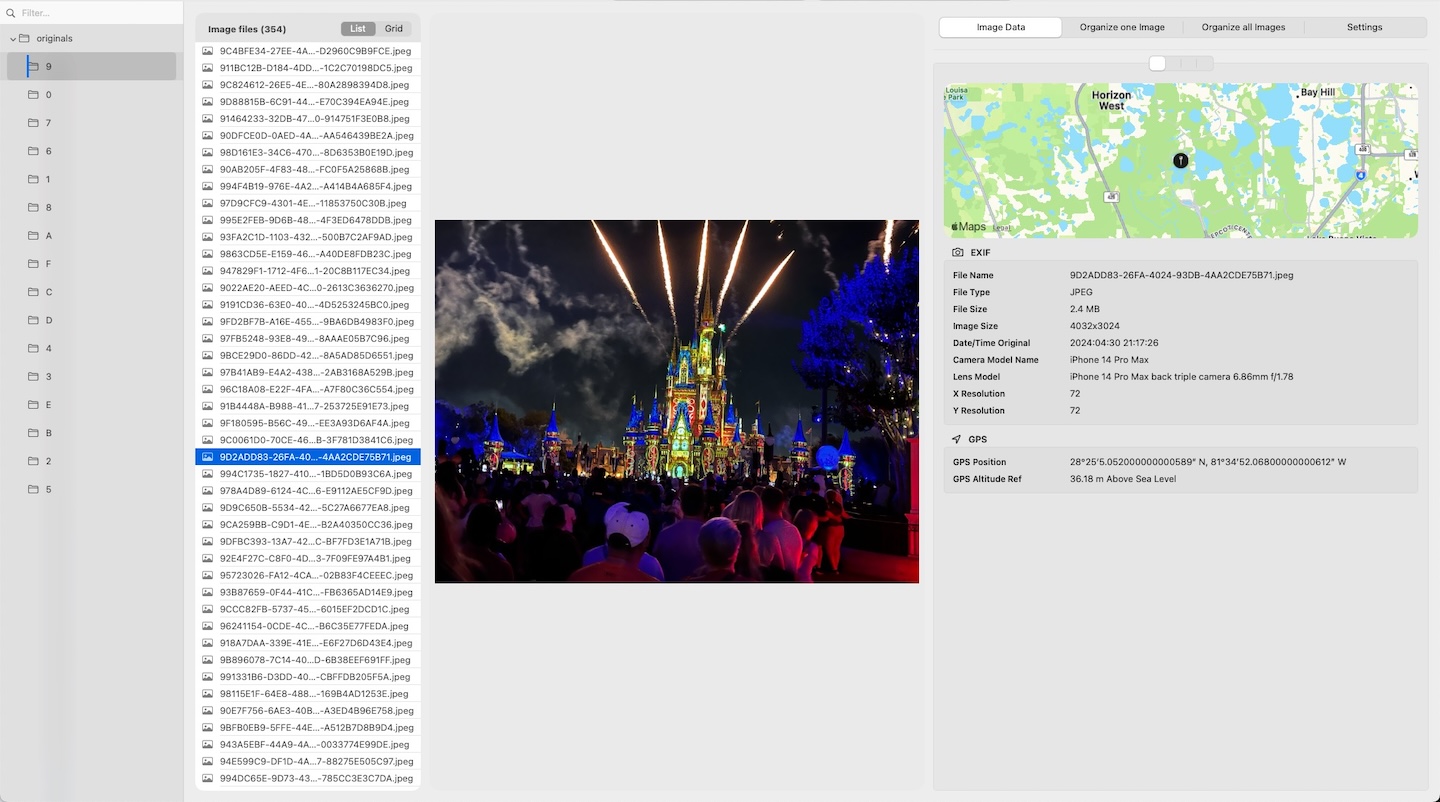
MediaOrganizer defines identity using:
- EXIF DateTimeOriginal (including subsecond precision)
- GPS coordinates (when available)
Handling photos without GPS
Photos without GPS are isolated in an explicit review area for missing location context. The key assumption is that photos rarely exist alone: they belong to a trip, event, or activity. You can review them in a review context and apply location manually based on nearby photos.
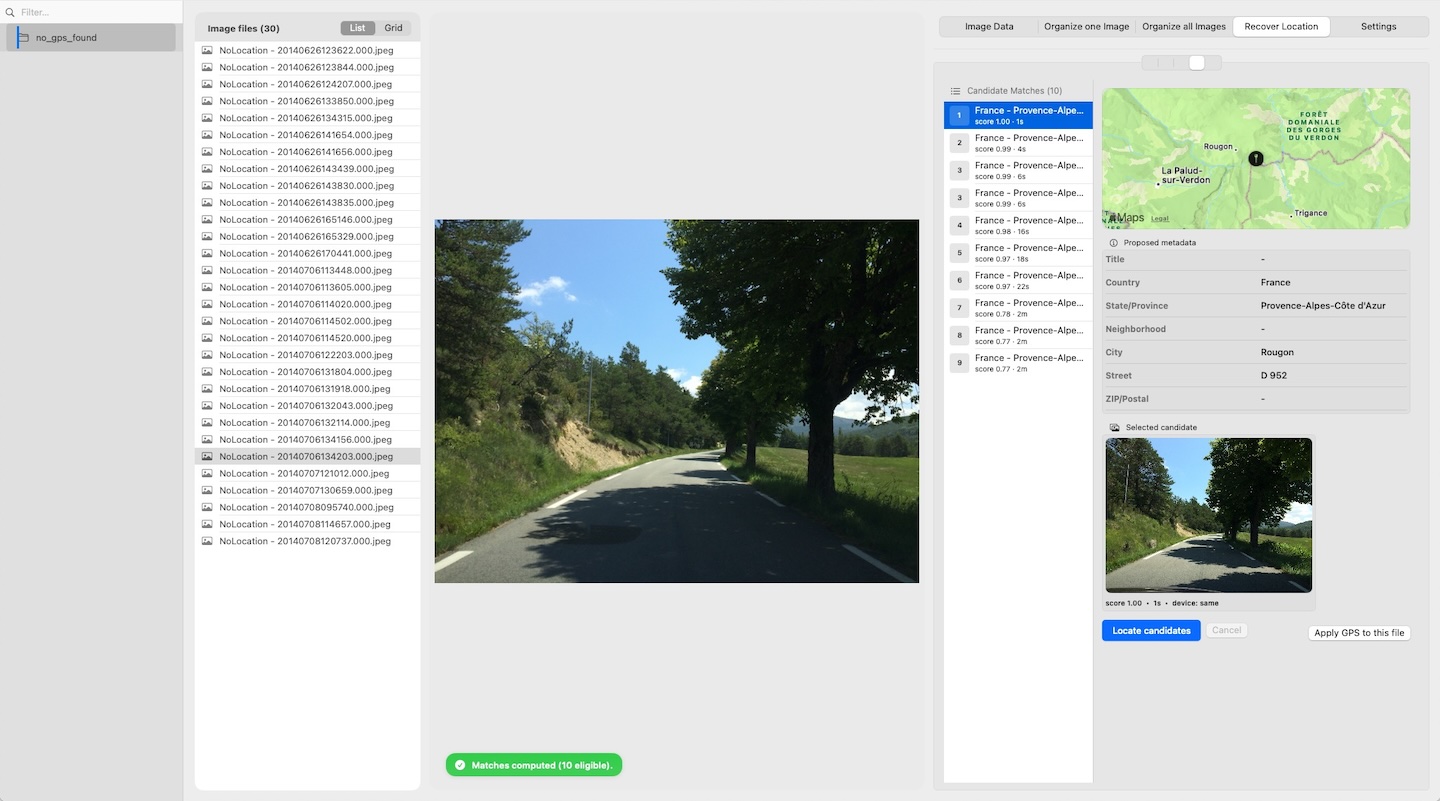
Recover Location (manual, ranked)
Recover Location lets you assign coordinates by looking at nearby media that already has GPS. You choose a review context and review reviewable context — then apply the best match.
After applying a recovered location:
- The media moves from an explicit review area for missing location context into the deterministic structure.
- If it collides with an existing canonical file (same identity), it is isolated in a duplicate review area.
FAQ
Do I need to export from Apple Photos first?
No. Apple Photos libraries (.photoslibrary) can be processed directly — no manual export is required.
Extraction from Photos libraries is read-only.
Will this overwrite my originals?
As with any consolidation workflow, it is recommended to operate on backed-up drives. A safe consolidation workflow never overwrites originals. When processing folders, media files are moved into the Target directory as part of the consolidation process. Original files are not overwritten. Duplicates are isolated into a mirrored a duplicate review area structure for manual review. Nothing is overwritten or silently removed.
What exactly counts as a “duplicate” here?
“Duplicate” means a structural identity collision in the Target.
Identity is derived from EXIF DateTimeOriginal (with subsecond precision) and GPS when available.
Collisions are isolated for review — not deleted.
What happens to files without GPS?
They are isolated in an explicit review area for missing location context. You can review them in a review context (trip/event context) and apply location manually. After recovery, the file moves into the deterministic structure (or to a duplicate review area, if it collides).
Where media normalization fits
The file-level problem described in this guide is one part of a broader media normalization workflow: establishing deterministic structure, explicit exceptions and tool-independent organization before relying on Lightroom, Apple Photos or any DAM system.
Related guides
- Merge Multiple Photos Libraries on Mac
- Organize Photos Before Lightroom Import
- Consolidate Photos and Videos from Multiple External Drives
- Remove Duplicate Photos on Mac
- Move a Photos Library to a New Mac
- Merge iCloud Photos with a Local Library